Below you will find the features shown on your OptimHire dashboard and how to navigate them.
My Jobs – This will take you to your dashboard to get an overview. You can find this tab in the top left corner.
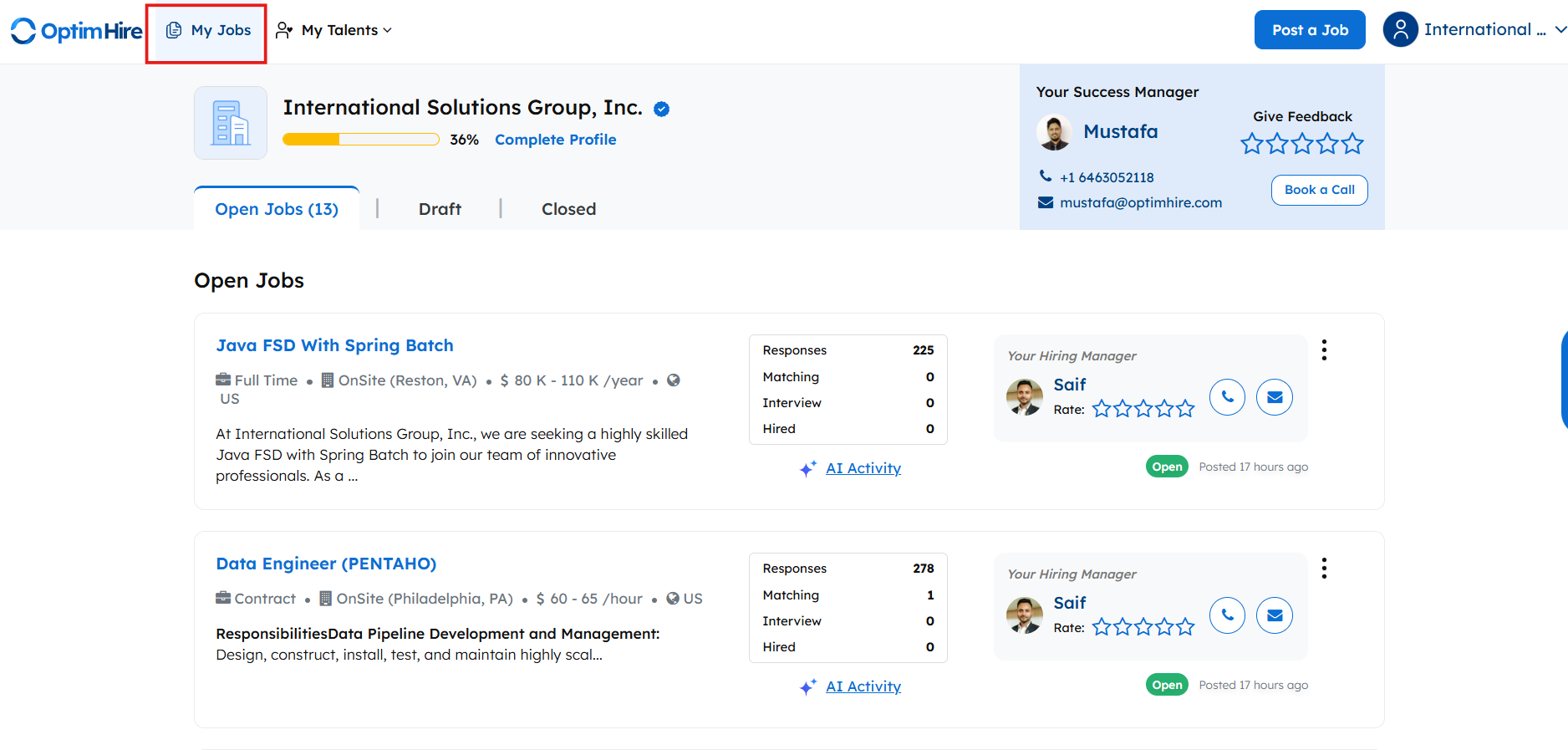
Open Jobs – (All) In this Tab you will see all the jobs that you have posted, live, draft and closed jobs. You can click on the particular job to go to its responses tab, invite tab, your talents tab and view job tab. (Jobs tab) To view all the jobs and their history. (Draft Tab) To view all the draft jobs which you haven’t published yet. (Closed Tab) To view all the jobs that you have closed.

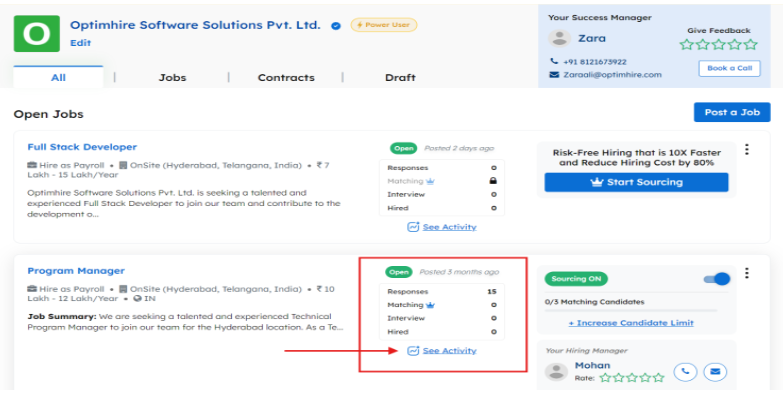
Responses – Get an overview of the responses of that job in the response box of that job posting. You can also click on “See Activity” to get a detailed view of the activity on your job.
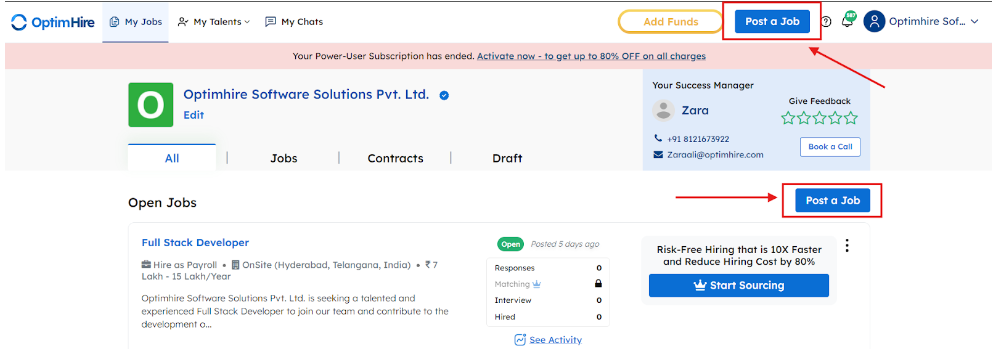
Post A Job – To Post a Job on your OptimHire account, you can click the “Post a Job” option on the top right or bottom right.
My Talents – To view all the talents that you have uploaded yourself to take advantage of our ATS and the candidates that you have hired with Optimhire, click on My Talents on the top left.